Compose the UI, prove the rules: Foldkit Plus 0.43
Compose interactive components without copy-pasting state, declare domain and permission rules once, and check whether writes keep them.
Claude and Gemini19 min read
- release
- mixins-ui
- entity
- laws
- guard
- remote-domain
On this page
A searchable picker looks small until you build it. Someone types part of a city name, moves through matching results with the keyboard, and chooses one. Your app needs the selected city; the control also has to track the typed text, the highlighted option, and whether the menu is open. Most UI kits force a trade-off: accept a black box you cannot customize, or copy hundreds of lines of component state into your own repository.
Try the combobox examples: search for a city, select several as chips, or explore the loading and empty states. They are part of Foldkit Plus, a set of open-source packages for Foldkit, a TypeScript framework where a page's state lives in one object and changes through named events.
This release also pushes the data side further: you can declare your records, invariants, writes, and permissions once, and analyze declared writes against those rules. In Foldkit Plus 0.43, the checker reasons about numeric bounds, prints counterexamples, and says when it cannot decide.
Compose a searchable picker instead of copying it
In Foldkit Plus, a component is a small state machine (Bundle) that you mount
inside your own application state. Your app owns the selected city; the
combobox owns the typed text, open menu, and highlighted row, and emits a small
output event when someone picks an option.
Here is the state wiring and view from the
basic combobox example.
Bundle.withChild mounts Bundles.Combobox at model.box, and onOut folds
each pick into model.city with City.picked. style holds the chosen visual
recipe and h is Foldkit's HTML builder:
import { Schema } from 'effect'
import { Bundle } from 'foldkit-bundle'
import { Bundles, Combobox } from 'foldkit-mixins-ui'

const cities = ['Kyiv', 'Lagos', 'Lima', 'Oslo', 'Osaka', 'Quito', 'Seoul', 'Zurich'] as const
const City = Combobox.one(cities)

// Your app owns `city`; `Bundles.Combobox` owns the query, menu, and highlight.
const App = Bundle.compose({ city: Schema.Option(Schema.Literals(cities)) }).pipe(
  Bundle.withChild('box', Bundles.Combobox, {
    args: { id: 'city', animated: true },
    onOut: out => model => ({ model: { ...model, city: City.picked(model.city, out) } }),
  }),
)

Combobox.view(
  {
    model: model.box,
    onMessage: message => onMessage(App.Message.GotBoxMessage({ message })),
    label: 'City',
    choice: City,
    value: model.city,
    filter: Combobox.contains,
    placeholder: 'Find a city',
    style,
  },
  h,
)As someone types, the combobox filters cities, handles keyboard navigation,
and sends its output through onOut, where City.picked updates model.city.
Your app never reimplements menu focus or filtering, and it never loses
ownership of its own state.
Because the app owns the value and the visual slots, variations compose without forking the component:
- Select several values as chips (
Combobox.many), or cap the selection at three inonOutwhile keeping the same picker. - Show loading and empty states driven by your own fetch state.
- Restyle any named part (input, listbox, option, chip) or attach pointer
hover highlights (
Combobox.fluid) without touching the behavior.
All of these run live, with full source, on the combobox page.
Building blocks for your own interface
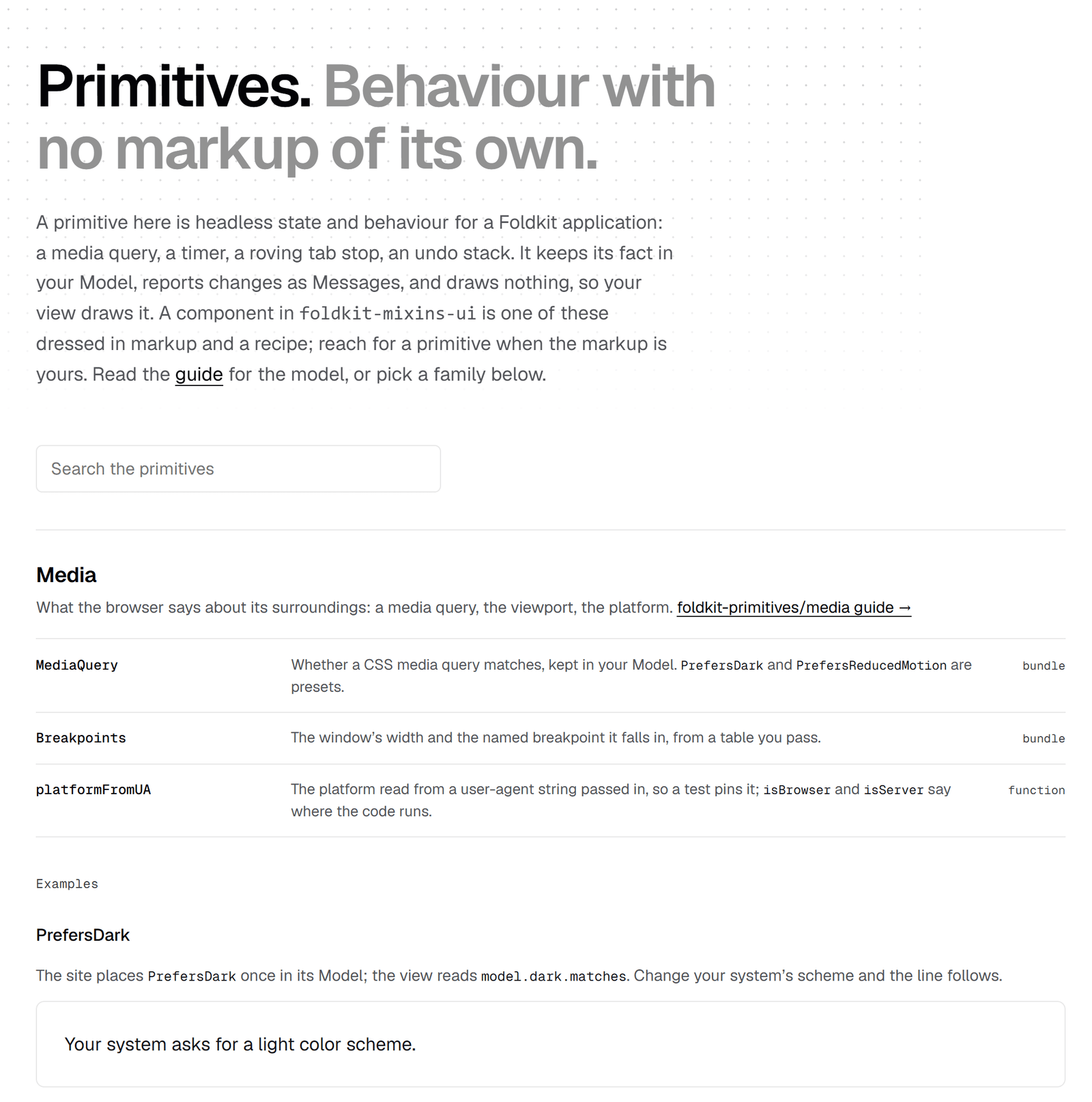
Vercel's UI SDK has brought attention to
reusable interface behaviors. Our take for Foldkit puts those smaller pieces
alongside the state and events your application already owns. For example,
foldkit-primitives can move focus to a sensible control when the focused
element is removed. foldkit-mixins can also compose keyboard behavior: Escape
can clear a search field before a second press closes the surrounding dialog.
Explore the building blocks in the
Primitives gallery.
Describe your records once
Take one rule from a bank: "an open account is never overdrawn." In most web
apps, that rule gets written four times: a SQL CHECK constraint, a guard in
the server handler, validation in the withdrawal form, and the condition
disabling the Withdraw button. Four people write those at four times.
Eventually the button lets someone submit what the server refuses, or the form
rejects what the database would have accepted.
Foldkit Plus lets you describe your records and rules once, as plain data with no database or network imports. The database adapter, the server, the form, and the browser all read that single description. Let's walk through one bank account.
Records and rules
foldkit-entity calls the description of one kind of record an Entity. Each
field uses a Schema from Effect (the TypeScript
library Foldkit builds on) to describe and validate its shape. A named
condition on a record, such as "is open", is a state declared with
Entity.refine.
Rules are built with Expr as inspectable data rather than opaque functions,
so SQL generators, servers, and browsers can each read them. An invariant is
a rule every stored row must keep; a transition is a rule about how a row may
change from before to after.
import { Schema } from 'effect'
import { Entity, Expr } from 'foldkit-entity'

// One kind of record and its fields, much like a table definition.
const Account = Entity.define(
  'Account',
  Schema.Struct({
    id: Schema.String,
    ownerId: Schema.String,
    status: Schema.Literals(['open', 'closed']),
    balance: Schema.Number,
    withdrawnToday: Schema.Number,
  }),
)

// Two named states of an account.
const Open = Entity.refine(Account, 'Open', { status: 'open' })
const Closed = Entity.refine(Account, 'Closed', { status: 'closed' })

// Registers each rule on `Account`. `after` is the row after a write; `before`, as it was.
Account.pipe(
  Entity.invariant('neverOverdrawn', ({ after }) => Expr.gte(after.balance, 0), {
    message: 'An open account is never overdrawn',
    in: Open,
  }),
  Entity.invariant('withinDailyLimit', ({ after }) => Expr.lte(after.withdrawnToday, 500), {
    message: 'An open account withdraws at most 500 a day',
    in: Open,
  }),
  Entity.transition(
    'aClosedAccountStaysClosed',
    ({ before, after }) => Expr.implies(Expr.eq(before.status, 'closed'), Expr.eq(after.status, 'closed')),
    { message: 'A closed account stays closed' },
  ),
)in: Open scopes a rule to open accounts, so a closed account with a negative
balance breaks nothing.
One rule, every reader
Because each rule is data, every layer reads it in its own terms. On the
server, foldkit-remote-drizzle (our adapter for the Drizzle SQL toolkit)
turns the two single-row invariants into SQL CHECK constraints. For SQLite,
its checkConstraints function emits:
constraint "accounts_neverOverdrawn" check (((not ("accounts"."status" = 'open') or "accounts"."balance" >= 0)) is true)
constraint "accounts_withinDailyLimit" check (((not ("accounts"."status" = 'open') or "accounts"."withdrawn_today" <= 500)) is true)
The transition compares the row before and after a write, which a SQL CHECK
cannot see, so the adapter marks it as enforced by the server. Those same rules
run in the statement that saves a row, in forms (showing each message beside
its field), and in the browser before a request leaves the page. See the
Drizzle adapter guide
for how these constraints reach a migration.
When a rule needs a record the browser does not hold, the browser answers unknown and leaves the decision to the server, so the page never turns a guess into a false refusal. The Expressions guide covers the full expression language.
States, and the writes between them
A declared write describes a change the server accepts as data instead of a
hand-written request handler, so client and server share one contract.
foldkit-remote, our package for server data, declares writes with Mutation,
each naming the state it starts from and the state it leaves:
import { Mutation } from 'foldkit-remote'

// An amount is never negative.
const Amount = Schema.Number.check(Schema.isGreaterThanOrEqualTo(0))

// Starts open and empty; literal fields fix the initial values on insert.
const OpenAccount = Mutation.insert('OpenAccount', Account, {
  set: { ownerId: Schema.String, status: Schema.Literal('open'), balance: Schema.Literal(0), withdrawnToday: Schema.Literal(0) },
  becomes: Open,
})

// Close takes an open account and must leave it closed.
const CloseAccount = Mutation.update('CloseAccount', Account, {
  set: { status: Schema.Literal('closed') },
  from: Open,
  becomes: Closed,
})

// Deposit and withdraw take an `amount`, which is not a stored field of `Account`.
const DepositMoney = Mutation.update('DepositMoney', Account, {
  input: { amount: Amount },
  from: Open,
  increment: { balance: 'amount' },
})
const WithdrawMoney = Mutation.update('WithdrawMoney', Account, {
  input: { amount: Amount },
  from: Open,
  decrement: { balance: 'amount' },
  increment: { withdrawnToday: 'amount' },
  // Only when the account holds the amount.
  when: ({ row, input }) => Expr.lte(input.amount, row.balance),
})You write no route handler. The server compiles CloseAccount into one
UPDATE … WHERE checking the id, the starting state, and every rule. Closing
an already-closed account returns a structured Unmet refusal your page can
display, not a generic 500. In the browser, the page renders the write's result
optimistically while the request is in flight, then settles on the server's
answer.
Check your writes before they run
Declaring rules does not prove that your writes keep them. You can run
Laws.check on the declarations without a database. It checks each write
against each rule: assuming the rule holds before the write, does it still
hold afterward? In formal notation, the deposit question looks like this:
{ account is open, balance >= 0, amount >= 0 }
  DepositMoney(amount)
{ balance >= 0 }
The first line is what the checker may assume for a write that is allowed to run; the last is what it must show. The non-negative balance comes from the account rule, and the non-negative amount from its input schema. The write adds the amount to the balance, so the checker can prove the result stays non-negative from those bounds.
This is a claim about the declared write and rule, using the declared preconditions and the checker's model of arithmetic; it is not a proof of arbitrary application code or the whole deployment.
Pass Operators.kernel to give the checker the arithmetic used by
increment and decrement. Run it on the bank account above:
import { Laws, Operators } from 'foldkit-entity'

export const report = Laws.show(
  Laws.check({ writes: [OpenAccount, DepositMoney, WithdrawMoney, CloseAccount], operators: Operators.kernel }),
)
The report includes these results:
DepositMoney    x neverOverdrawn              kept: proved from the bounds on balance, for every row and input within them
WithdrawMoney   x neverOverdrawn              undecided: it rests on comparing amount with balance, which intervals alone cannot use
WithdrawMoney   x withinDailyLimit            refused: An open account withdraws at most 500 a day
    before   status: "open", withdrawnToday: 500, balance: 1
    input    amount: 1
    after    status: "open", withdrawnToday: 501, balance: 0
Each result is a pair: one write checked against one rule (x
reads "against"). A kept result states that the checker established the
rule for that pair under its stated assumptions; refused comes with a
counterexample; undecided means it could not establish either result.
The first result is the deposit proof: the balance starts at zero or more and the amount is never negative, so their sum is zero or more.
The refused line catches a real bug in WithdrawMoney. It checks the
balance, not the day's total, and the report constructs an example that
breaks it: 500 already withdrawn today, a balance of 1, a withdrawal of 1,
leaving 501. One extra condition fixes it:
-  when: ({ row, input }) => Expr.lte(input.amount, row.balance),
+  when: ({ row, input }) =>
+    Expr.and(Expr.lte(input.amount, row.balance), Expr.lte(Expr.add(row.withdrawnToday, input.amount), 500)),
With that condition added, the refusal disappears. Two pairs stay undecided: the withdrawal conditions relate values that the checker does not yet combine. Its interval analysis tracks a range for each value separately, which loses some relationships between values. An undecided result is not a proof or a failure: cover the cases with tests and rely on the server's rule checks when the write runs.
Two tools in foldkit-remote/testing can help find mistakes in those cases;
they do not prove them. Scenario writes a test
case as data—starting rows, who asks, the clock, the write, and the expected
outcome—and runs it against any backend you give it. Walk.run drives random
sequences of events through your app and checks your rules after every step.
You can also run npx foldkit-plus laws <module> from the command line or CI.
The same rules reach the page. A foldkit-remote client's Data.can tells the
UI whether a write would be refused, so the Withdraw button disables itself on
a closed account before anyone clicks it. Documents shared across devices with
foldkit-sync can declare rules of their own, checked after every edit. The
domain guide and
Laws guide walk through
the full workflow.
Guard: who may read and change what
Permissions usually end up scattered across route handlers, SQL WHERE
clauses, and UI conditionals. foldkit-guard lets you declare who may read or
change a record right beside your domain rules.
Continuing the bank account example, you can declare that only an account's owner—or a bank admin—can read it, while only the owner can update it:
import { Guards } from 'foldkit-guard'

const User = Schema.Struct({ id: Schema.String, role: Schema.Literals(['admin', 'customer']) })

const AccountGuards = Guards.declare(
  'Accounts',
  User,
  guard => ({
    isAdmin: guard.principal(),
    isOwner: guard.row(Account, user => Expr.eq(Account.fields.ownerId, user.id)),
  }),
  { key: user => user.id, unguarded: 'deny' },
)

export const GuardedAccount = Account.pipe(
  Guards.attach(AccountGuards, {
    row: { Read: [AccountGuards.isOwner, AccountGuards.isAdmin], Update: [AccountGuards.isOwner] },
  }),
)For a customer, isAdmin resolves to false on the server and drops away, so
isOwner compiles straight into WHERE owner_id = ?. For an admin, isAdmin
resolves to true and the query reads every account. The same rules drive UI
permission hints, so buttons only appear for actions the signed-in user can
actually perform.
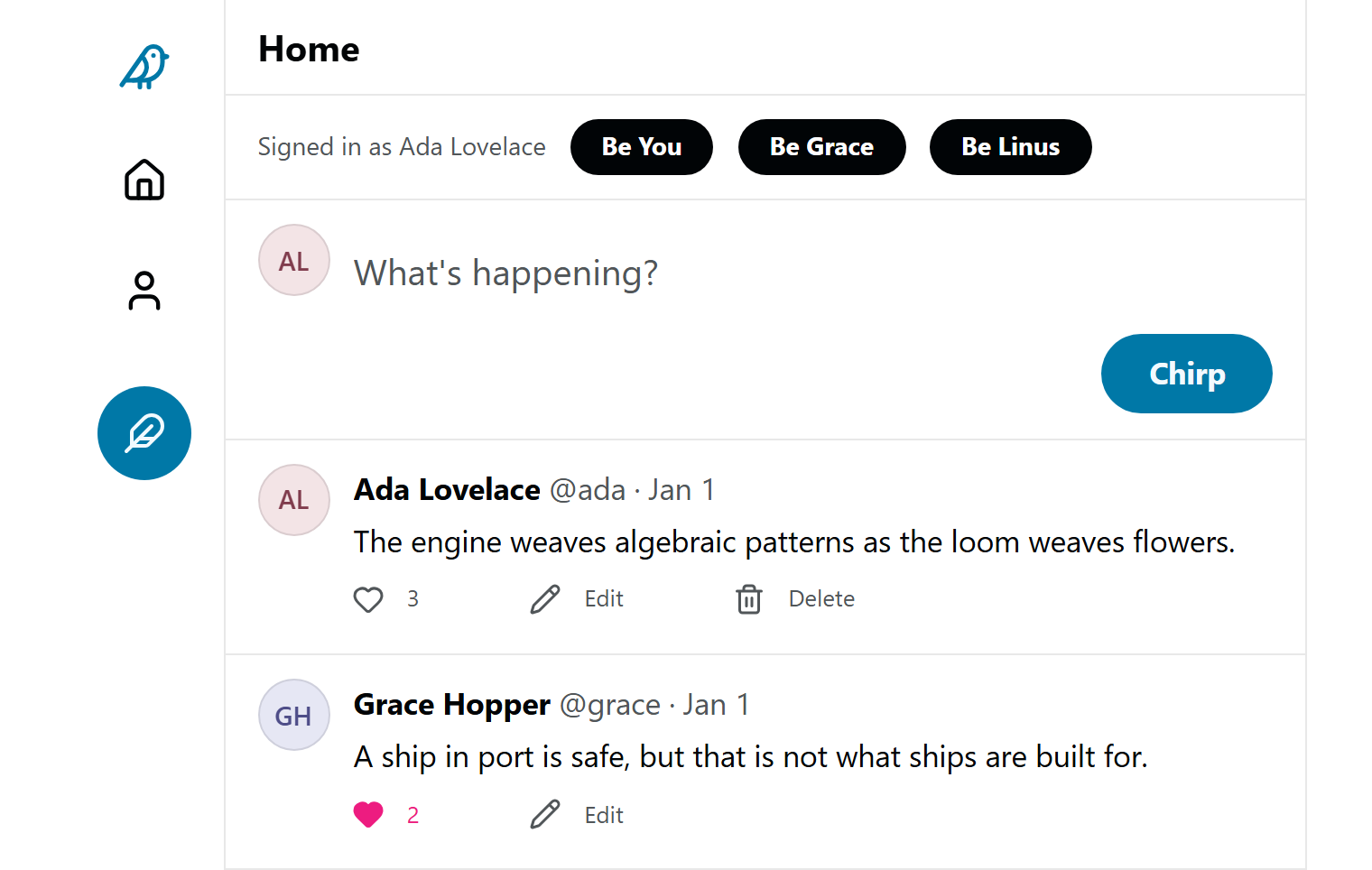
Try Chirp and switch users: admins can
edit any post, while only the author can delete it. Read
How Guard works
for the full mental model, including how guards compile into SQL and verify
with Laws.
Putting an event-sourced server behind Remote
Some teams record changes as events, such as "money deposited", and project the
records readers see from those events. The experimental foldkit-remote-domain
adapter connects an Alchemy Domain
server to Remote, so an application can use Remote's queries and writes over an
event-sourced backend.
The adapter targets a specific Alchemy beta and has been tested with its in-memory host and a local HTTP server. For its current limits and a working example, see An event-sourced domain behind Remote.
Upgrading
Coming from 0.40, most breaking changes are renames, so the TypeScript compiler lists every place to update; Upgrading to 0.41 has a before and after for each. Four changes compile either way, so check them by eye:
- Default theme: casts shadows, rounds corners more, and deepens the accent (the upgrade guide lists the settings that restore the old look).
- Card group: draws its pointer highlight only when you pass
fluid: Card.fluid. - Image cropper: draws its zoom slider only when you pass
zoom: ImageCropper.zoomSlider(). - Color picker: eyedropper is off unless you pass
eyedropper.
Coming from 0.41 or 0.42, little changes: CodeBlock's collapsed option
takes { lines, expanded, onToggle }, and code that reads Laws.check's
report has new cases to handle. The
changelog
lists every change.
Also new
- FileUpload: a file field supporting drop, pick, and paste, with per-file refusals, previews, and retries (page).
- CodeBlock: marks added, removed, and highlighted lines and folds long blocks behind a button (page).
- Page builder, rich text, and data grid: finger-sized drag handles, a standard formatting toolbar with a "More" menu, and copying a grid selection as an HTML table (builder, rich text, grid).
- Selected text takes the theme's accent color.
- Website: every component page is built from live example modules, and the Primitives gallery shows the building blocks.
- Fixes: pale tints painted pink in Chrome 157, an input mask scrambled typed digits, server data did not survive a development reload, scroll was not restored on reload, and two tabs could send the same write twice.
See it, try it
- Quickstart — build and run your first Foldkit Plus program in five minutes.
- The combobox page, and the component pages for the other ninety.
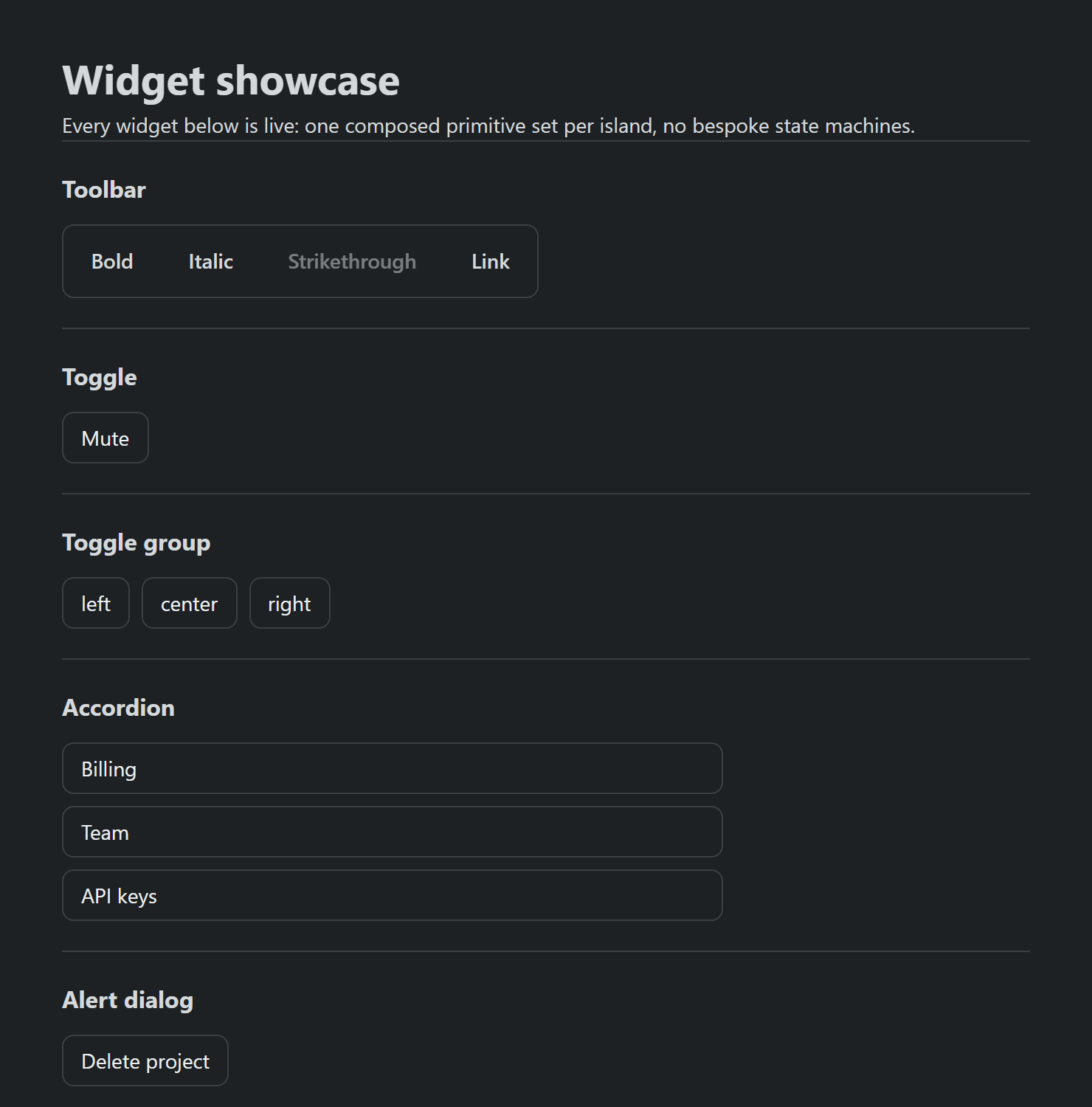
- The widgets demo, a small application using many components together.
- Chirp, for a declared domain, writes, and permissions in one running app.
- The registry demo, for offline edits across two devices: press Go offline on one, edit, then Go online.
Next we are giving dialogs and popovers the same one-call drawing other
components have, and teaching the checker to settle rules that compare two
variables, like amount <= balance.
To try the UI components, install foldkit-mixins-ui along with Foldkit, its
unstyled @foldkit/ui components, and Effect:
pnpm add foldkit foldkit-mixins foldkit-mixins-ui foldkit-primitives @foldkit/ui effectThen try the combobox examples or follow the Quickstart. For the data side, add the packages for records, server data, and permissions:
pnpm add foldkit-entity foldkit-remote foldkit-guardand start from one record with One domain declaration.